
Everything between “I want to return this” and money settled.
What Return OS does today, one part at a time. Screenshots are from a training store.
A customer portal that finishes on a phone
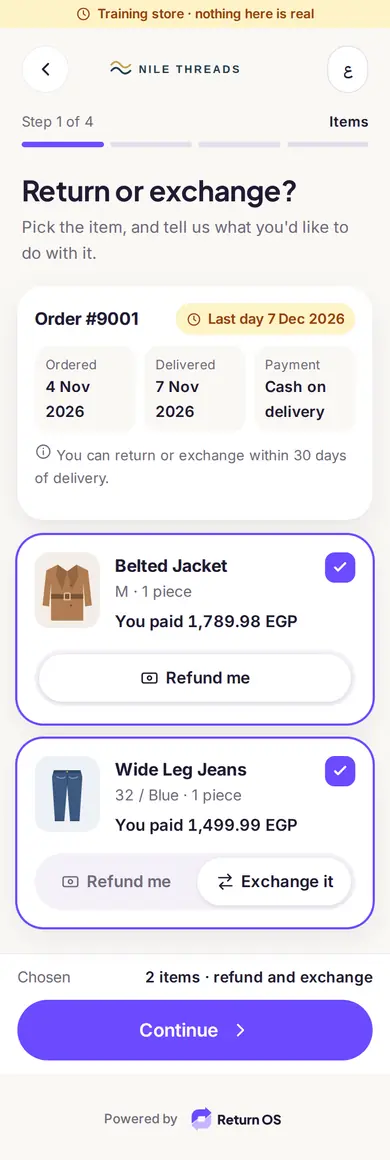
The customer opens your link, types the order number and the email or phone already on the order, picks the items, gives a reason, and chooses what they want. Fees, timing and next steps are on screen before they send.
- No account and no password.
- Arabic (right to left) and English, built for a 360 px screen first.
- Refund, exchange, gift card and Shop now sit on one screen, side by side.
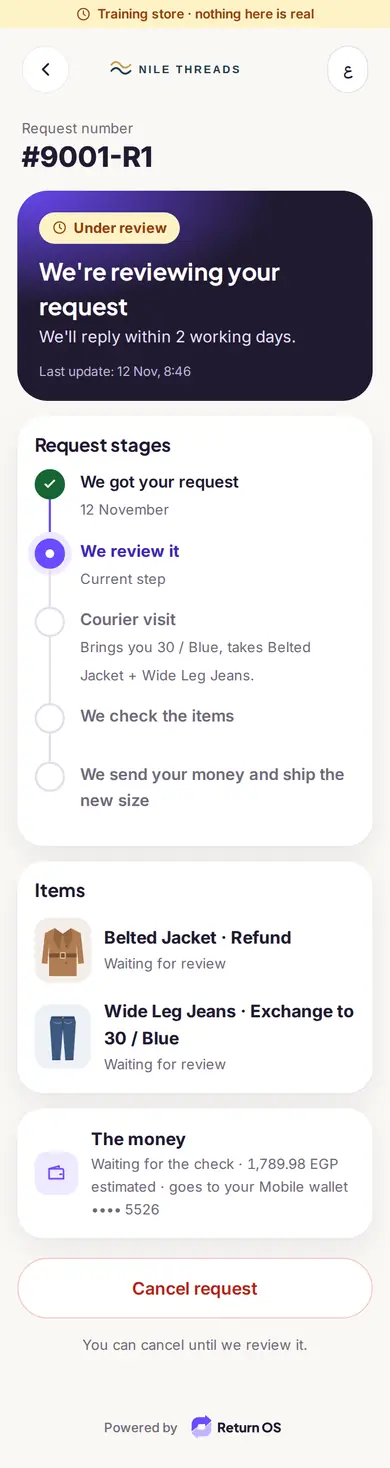
- After sending, a tracker shows where the request is.


Exchanges: another size or colour of the same product
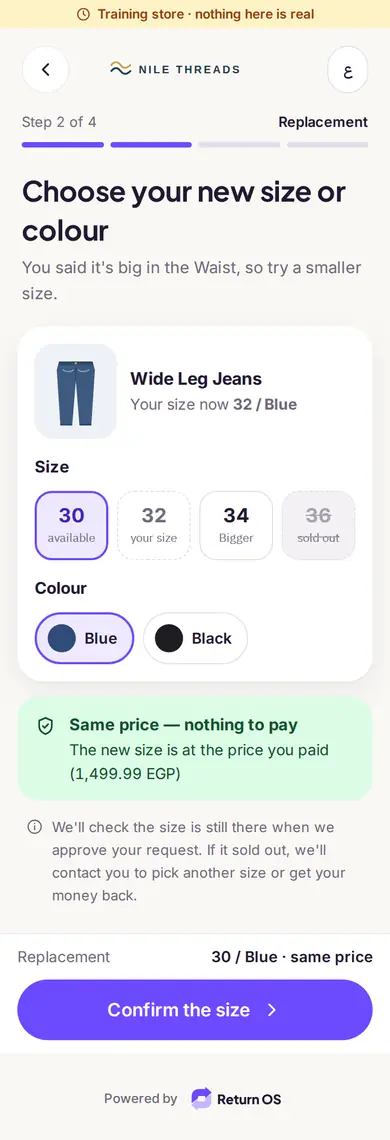
The customer sees the sizes and colours that are actually in stock and picks one. A single request can mix an exchange on one item and a refund on another. Exchanges go back to you by courier.
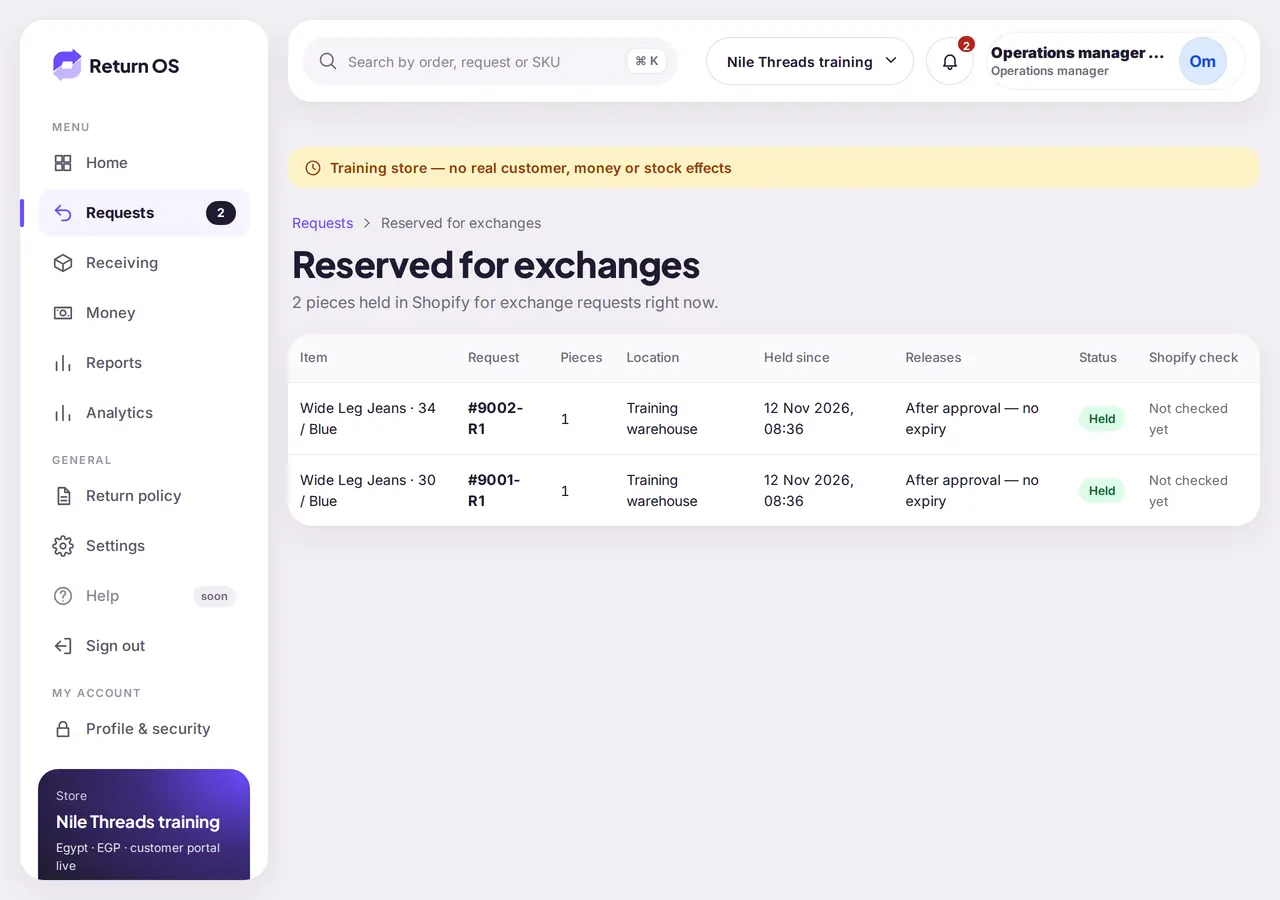
- Stock for the new item is held in Shopify while you review.
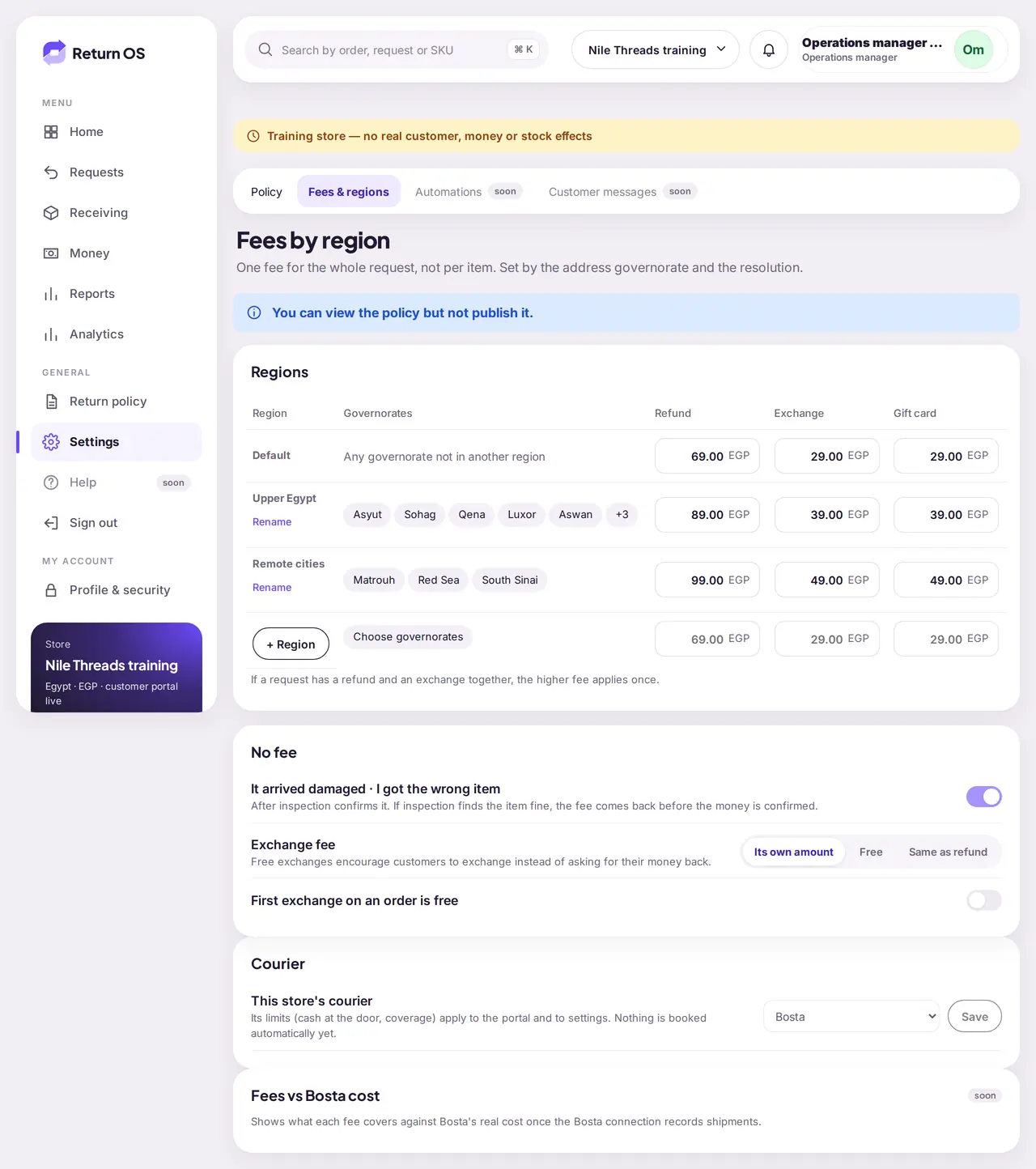
- Exchange fee: its own amount, free, or the same as a refund. You decide.
Shop now
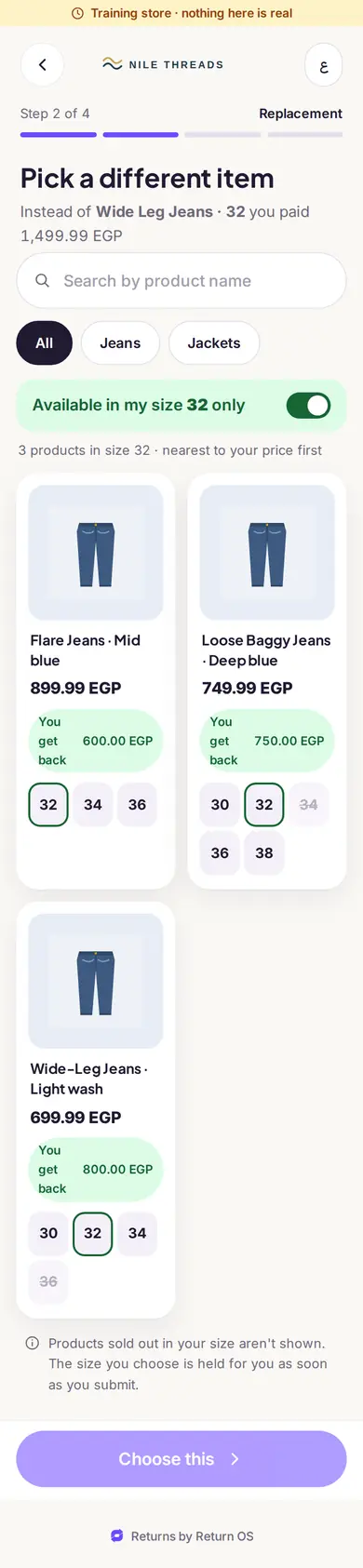
Instead of waiting for a refund, the customer turns the value of the return into a new order right away. They browse your products like a small store, fill a cart, and pay only the difference if the new items cost more. You can add a bonus on top of their credit, so spending feels better than withdrawing.
- The bonus is yours to set (the training store uses 25%).
- The customer sees the credit, the bonus and the total before choosing.
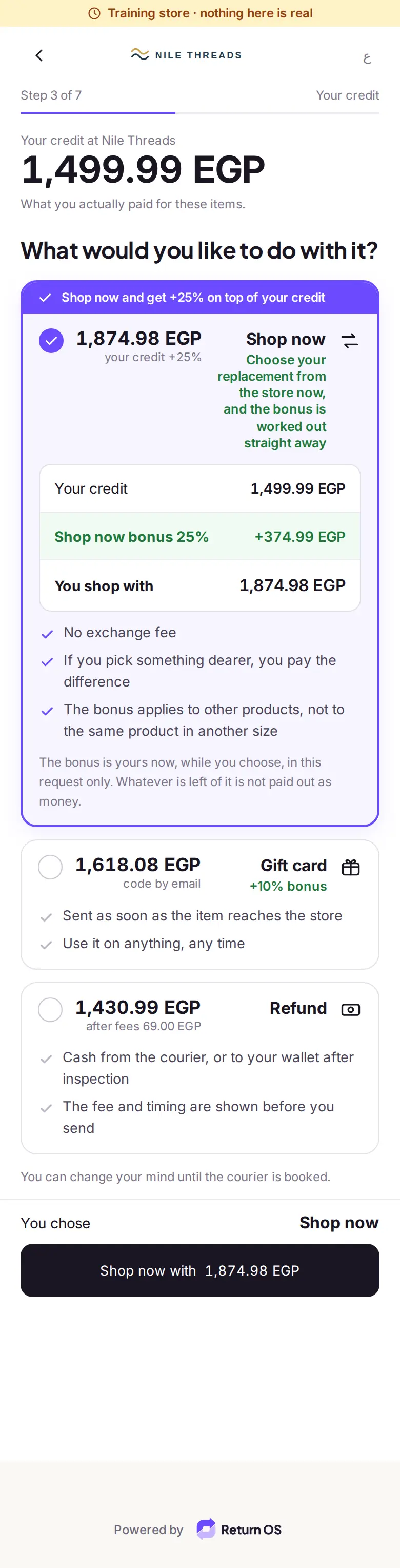

Gift cards
A gift card is issued in your Shopify store and the code goes to the customer by email, with an optional bonus. It replaces store credit: one instrument the customer already knows, usable on anything, at any time.
- Issued only after the item has been received, so you never pay out in advance.
Returns at a branch: PIN and QR
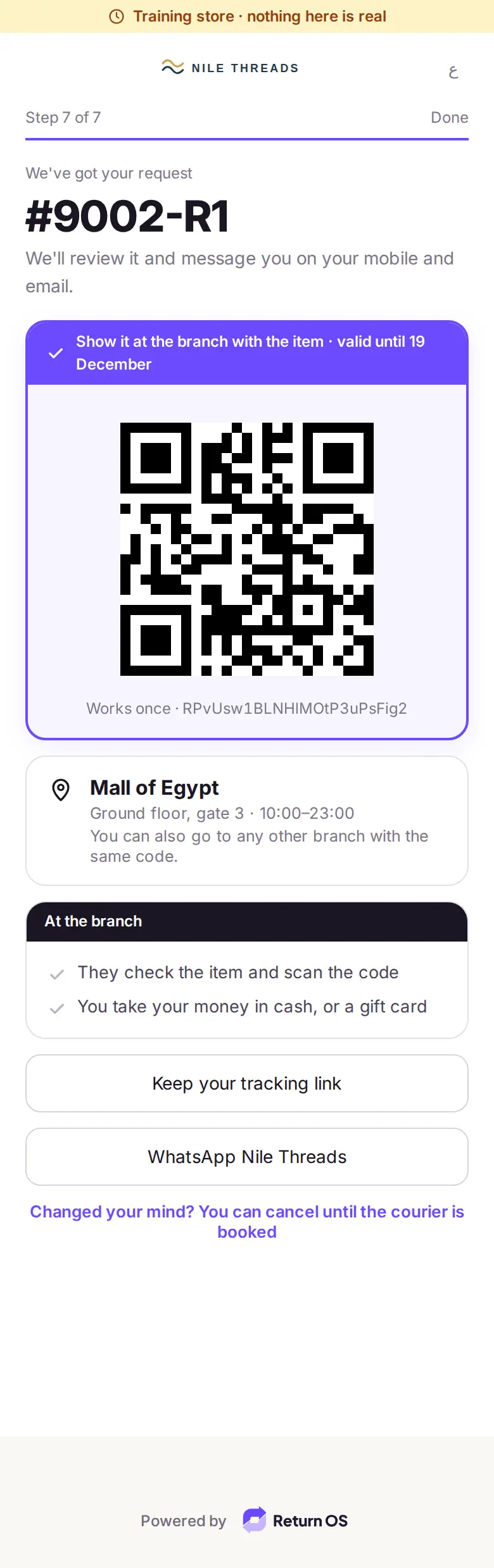
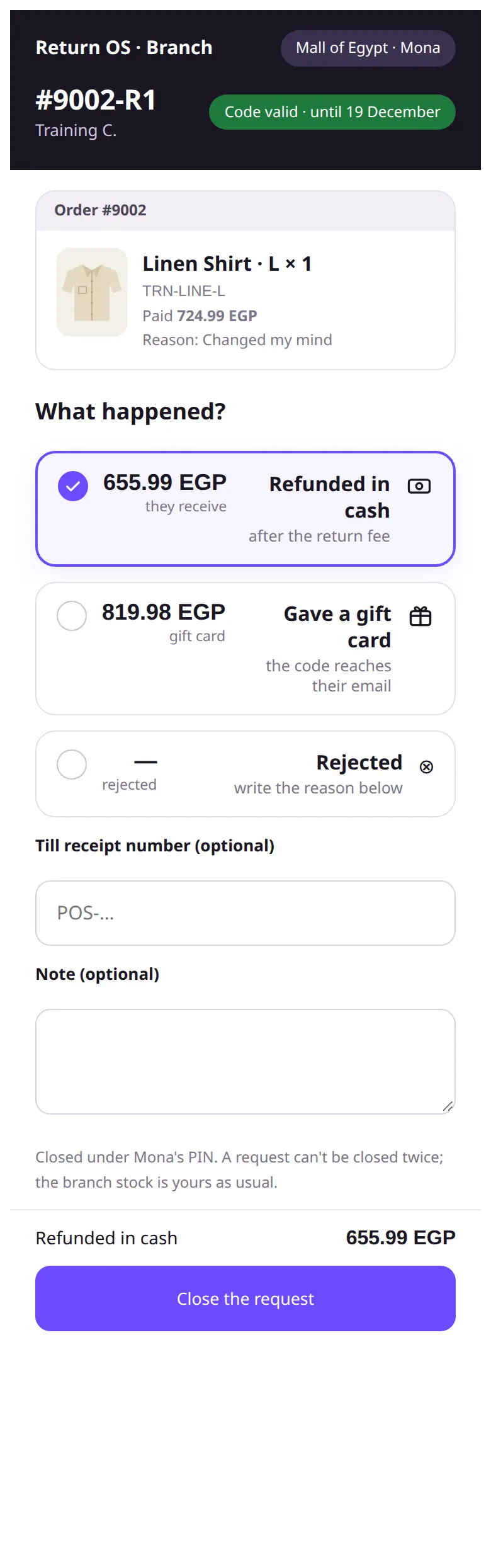
The customer shows a QR pass. Branch staff sign in on the branch screen with a personal PIN, open the request, check the item and choose: refunded in cash, gift card, or rejected with a reason.
- Closing the request counts as received and inspected. It does not touch Shopify stock: the branch stock is yours as usual.
- Cash refunds from the till are confirmed by finance in the daily branch batch.
- Exchanges stay courier-only.
Courier pickups: Bosta first
The customer confirms the pickup address on the order or gives another one. Bosta is the first courier we are connecting. Until it is live you can run pickups by hand with any courier and record the status; the request tracker stays the same.
- More couriers will follow after Bosta.
Receiving and inspection
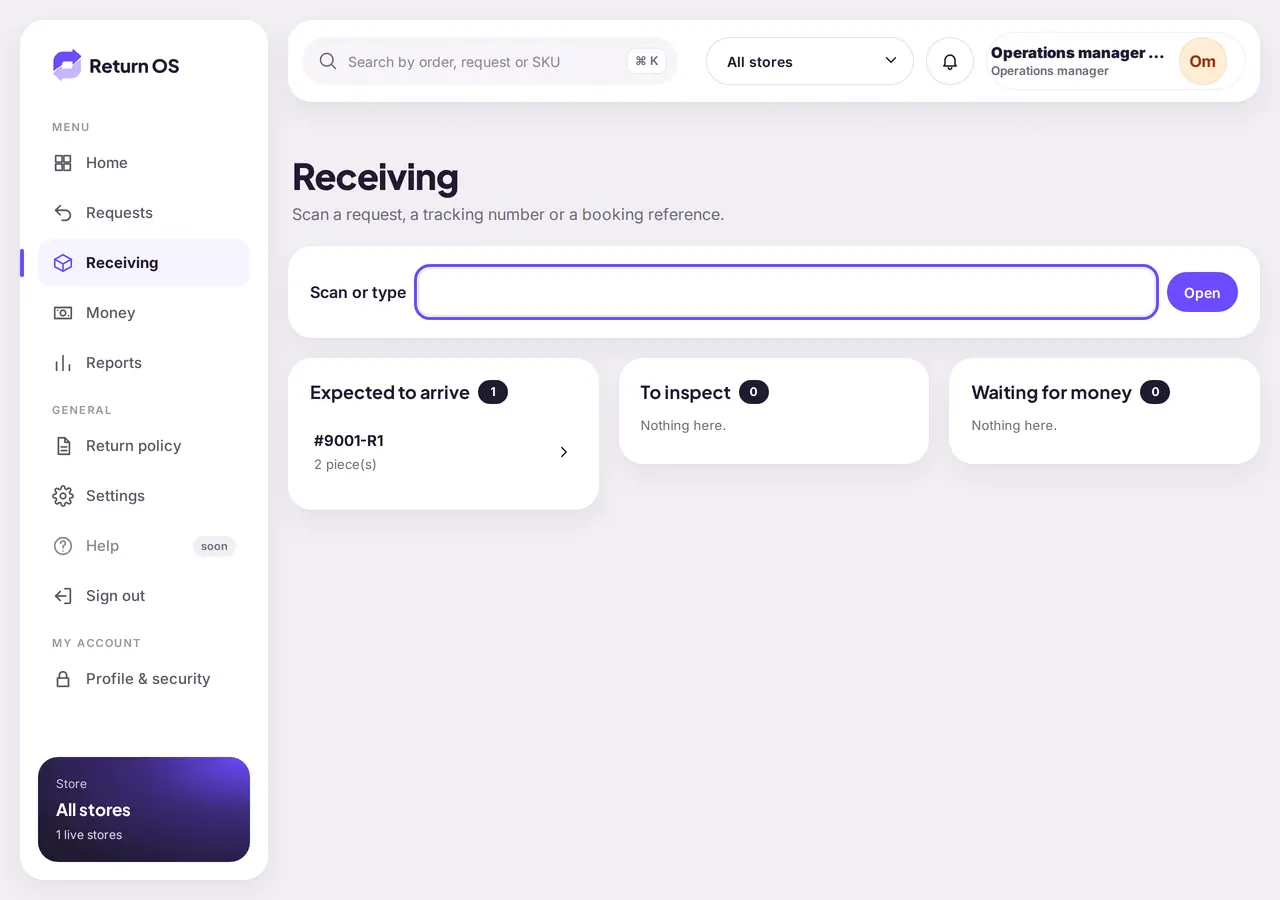
Scan the parcel when it arrives, inspect every unit, and decide what happens to it: back to stock, or not. The stock moves exactly once, in one place, so Shopify never counts a return twice.
- Per-unit quality check with photos.
Refunds and payouts you can trace
Orders paid online are refunded to the original payment through Shopify. Cash on delivery orders are paid out by hand (wallet, bank transfer or InstaPay) and a second person has to confirm it. Every movement is written to a balanced ledger that is never edited; a correction is a new reversing entry.
- Refunds owed against refunds settled, always visible.
Policy rules and fees by region
Set the return window in days, which resolutions you offer and how the item comes back. Fees are one per request, set by the governorate and by the resolution. If a request mixes a refund and an exchange, the higher fee applies once.
- No fee when it is your fault: damaged or wrong item, once inspection confirms it.
Stock holds
While an exchange waits for your review, the replacement is held in Shopify so it cannot be sold to someone else. One screen lists every hold with the request it belongs to.
- A hold ends when you decide on the request.
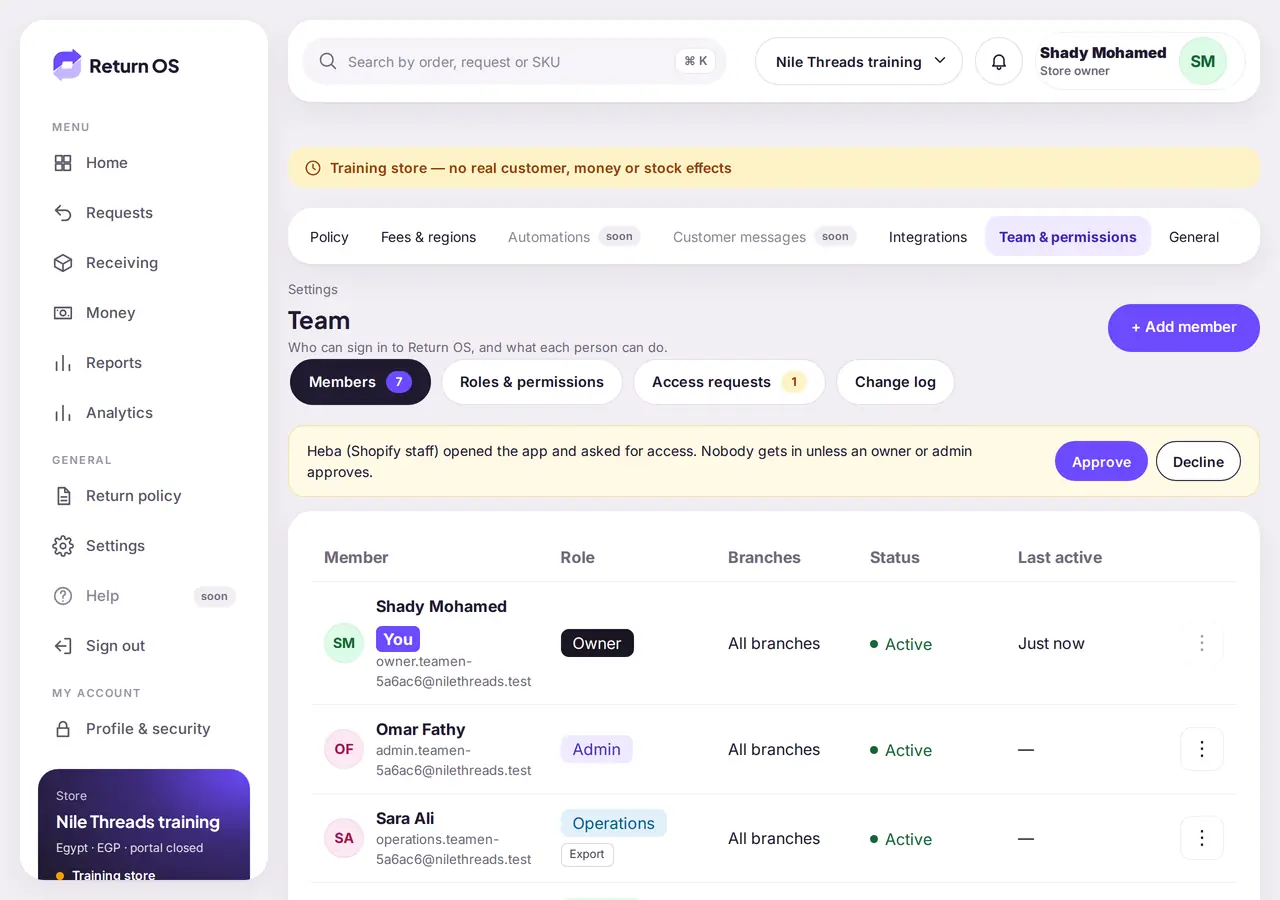
Team and roles
Give each person a role: Owner, Admin, Finance, Operations, Branch staff or View only. Owner, Admin and Finance must set up two-step sign-in before they can use the console. People sign in with a password; sign-in with Google is in testing.
- Every action is checked on the server against the person's role.
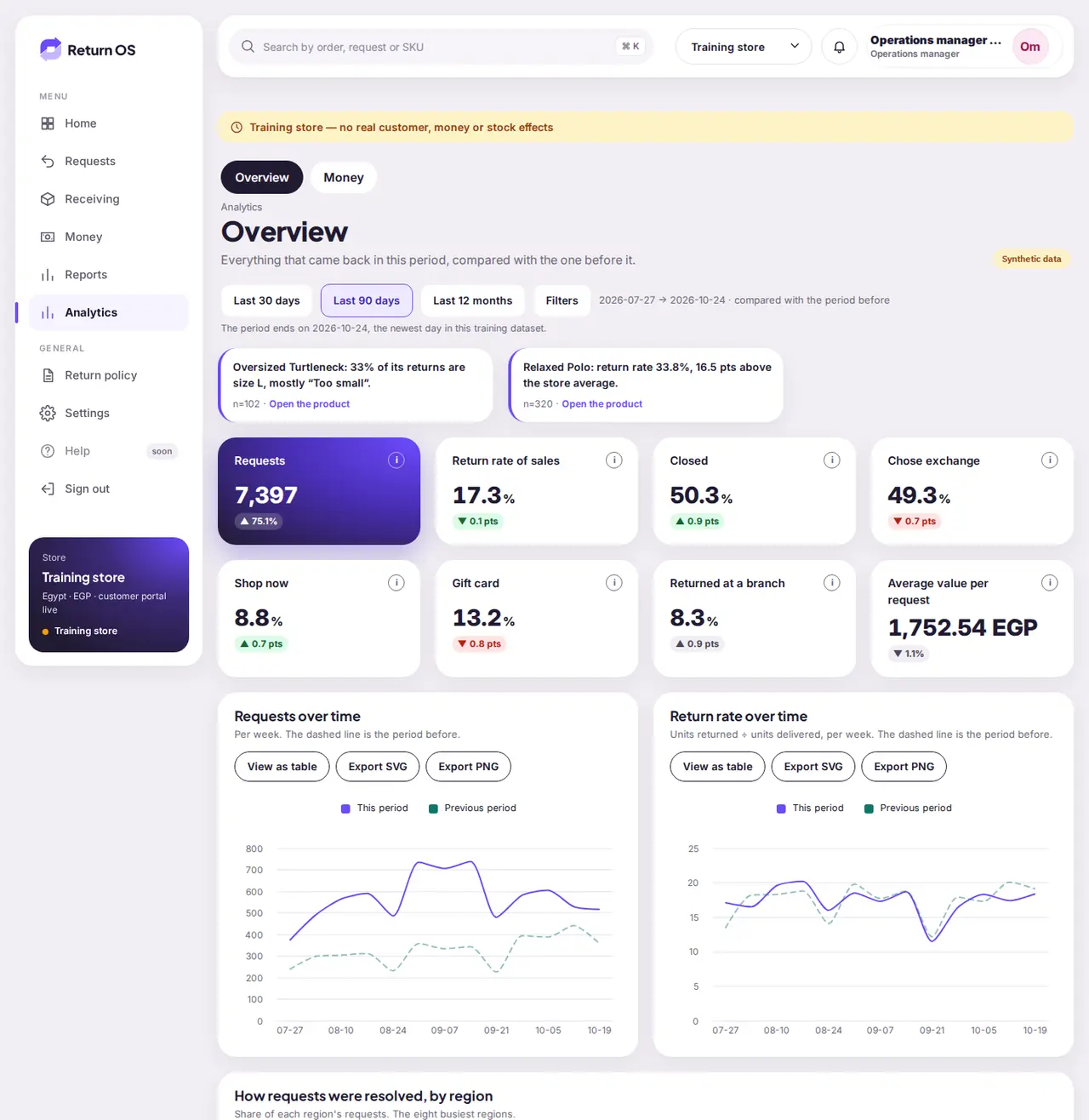
Analytics
Return rate over time, returns by size, by governorate and by product, and where the money went. Every chart has a table view.
Tell us about your store.
Early access is by request. We read every message and reply by email.